

A quick departure from what I normally write about here. Most of my posts focus on real estate, housing and what’s happening across the Rio Grande Valley. But every once in a while, I want to write about something a little more personal. With a 2-year-old and a newborn now running—or sleeping through—our lives, my wife suggested I write about the smart home tech for parents we’ve accumulated to help us survive it. So here we are.
At exactly 7 a.m., our 2-year-old sometimes starts yelling from his bedroom:
“¡Está verde!”
He’s talking about the light beside his bed.
Every night, a low amber light and the sound of waves help signal that it’s still bedtime. At 7 a.m., the light turns green and the sound stops. Ben knows that means it’s okay to get out of bed.
Of course, we usually know he’s awake before then.
There’s a Nanit camera above him. Depending on where we are in the house, my wife and I can check on him from our phones, a dedicated Nanit monitor, an Amazon Echo Show or even our television.
Somewhere between having our first child and bringing home our second, our house quietly became a parenting command center.
We have cameras. Smart speakers. Smart lights. Fire TVs. Baby monitors. A digital family calendar. Cameras pointed at both kids in our cars. At last count, 48 devices were connected to our Wi-Fi at the same time.
There are enough connected devices around here that occasionally it feels less like we’re raising children and more like we’re running a small NASA mission.
But here’s the thing: we actually use this stuff. Every single day.
None of this is necessary to be a good parent, and technology certainly doesn’t make raising a toddler and a newborn easy. What we’ve discovered, though, is that the right technology can eliminate dozens of tiny inconveniences throughout the day.
And when you’re raising little kids, those little things add up.
Excuse the mess in some of these photos. We welcomed our second son, Rafa, just over a week ago, which means we’re currently discovering exactly how much chaos can be created by adding one very small human to a house that already has a 2-year-old. I could clean everything up and stage these pictures, but that would sort of defeat the point. This is our house, this is the technology, and this is what it looks like when we’re actually using it.
None of This Smart Home Tech for Parents Works Without Really Good Wi-Fi
There’s one piece of technology in our house that our kids never interact with but almost everything else depends on: our Wi-Fi network.
We use an eero mesh Wi-Fi system, with access points spread throughout the house.
And we need them.
When I recently opened the eero app, I counted 48 devices online.

Forty-eight.
That sounds absurd until you start adding everything up: phones, televisions, Amazon Echo devices, Nanit cameras and monitors, Ring cameras, Philips Hue lights, computers, tablets and all the other connected devices that have slowly accumulated around our house.
But there’s another reason our internet connection matters so much: I also broadcast live from home.
I host a television show from my home office that is carried live by TV stations across the country. So while a Fire TV may be streaming in one room, Nanit cameras are sending video from the kids’ rooms and dozens of other devices are connected throughout the house, I may simultaneously be sending a live television broadcast out of my office.
At that point, a dropped connection isn’t just annoying. It can literally knock me off the air.
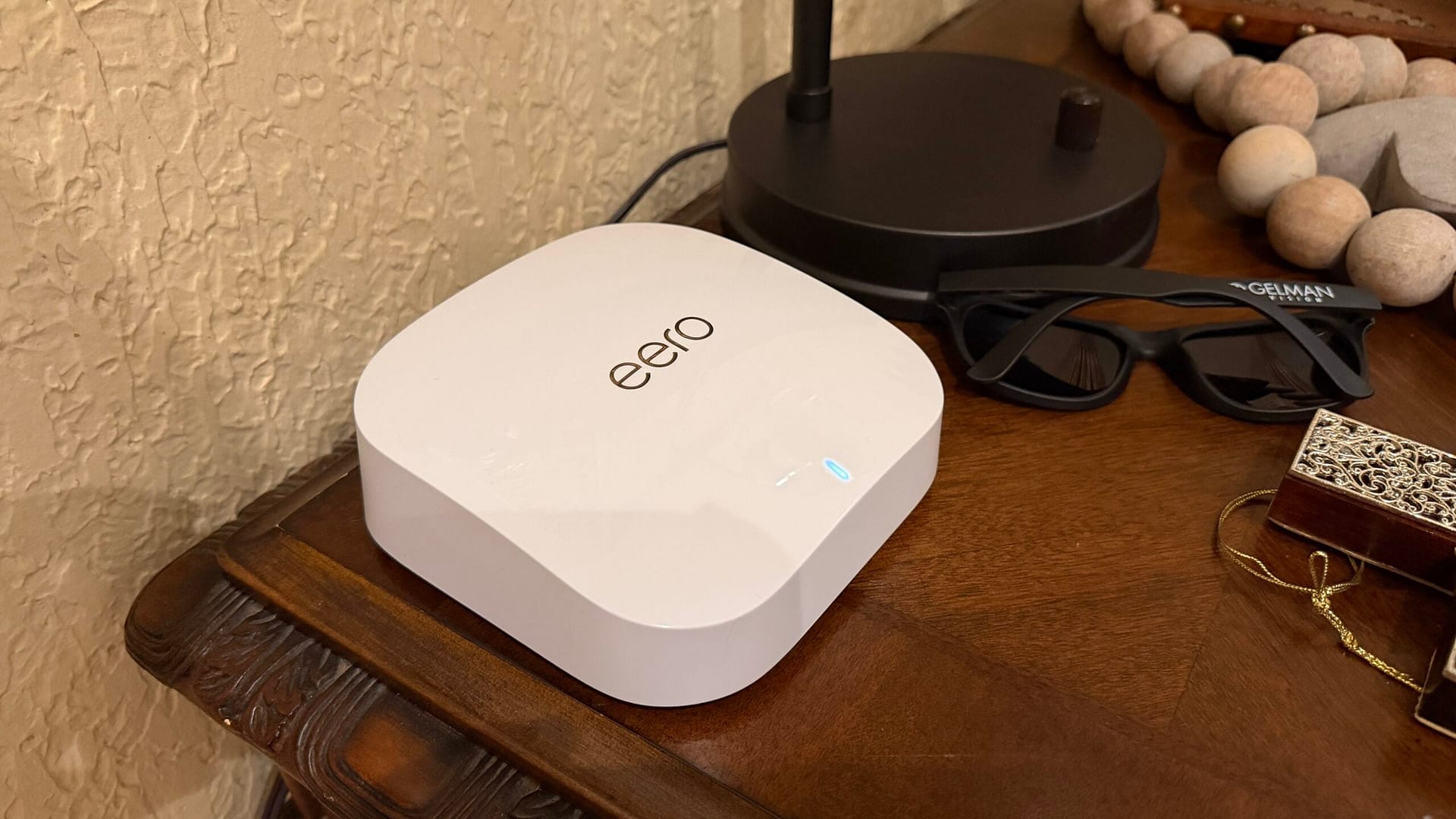
That’s one reason we’ve gone pretty heavy on our home network. Instead of asking a single router in one corner of the house to handle everything, our mesh network gives us access points throughout the house.
It isn’t the most exciting smart home tech for parents, but it may be the piece holding everything else together.
The smartest house in the world isn’t particularly smart when the Wi-Fi doesn’t work.
Smart Home Tech for Parents Changed How We Handle Sleep
Before becoming a parent, I didn’t spend much time thinking about the technological infrastructure surrounding sleep.
Then we had kids.
We use Nanit cameras for both children, and the obvious benefit is being able to see and hear them without walking into their rooms.
But we’ve found ourselves using Nanit for much more than simply watching a video feed.
The sleep data gives us a better idea of how the kids are actually sleeping rather than relying on the very unreliable parental measurement of, “Well, last night felt terrible.”
With our newborn, I’ve also learned something about myself. My baby anxiety tends to manifest as constantly wanting to make sure the baby is breathing.
I’ll check.
Then check again.
And probably check once more.
Nanit’s Breathing Wear has been particularly helpful for me because it gives me another way to check on the baby without constantly hovering over him throughout the night.
The Baby Monitor Tech We Use With Two Kids
With our second child, we added Nanit’s dedicated monitor, and that has turned out to be one of our favorite upgrades.
It can show both cameras simultaneously in split screen.

That distinction doesn’t sound particularly exciting until you have two children sleeping in different rooms.
Now we can see both kids at the same time.
We have monitors in the kitchen and bedroom, and because they can operate on battery or plugged in, I can grab one and take it into my home office while I’m working.
It has essentially become a portable window into both kids’ rooms.
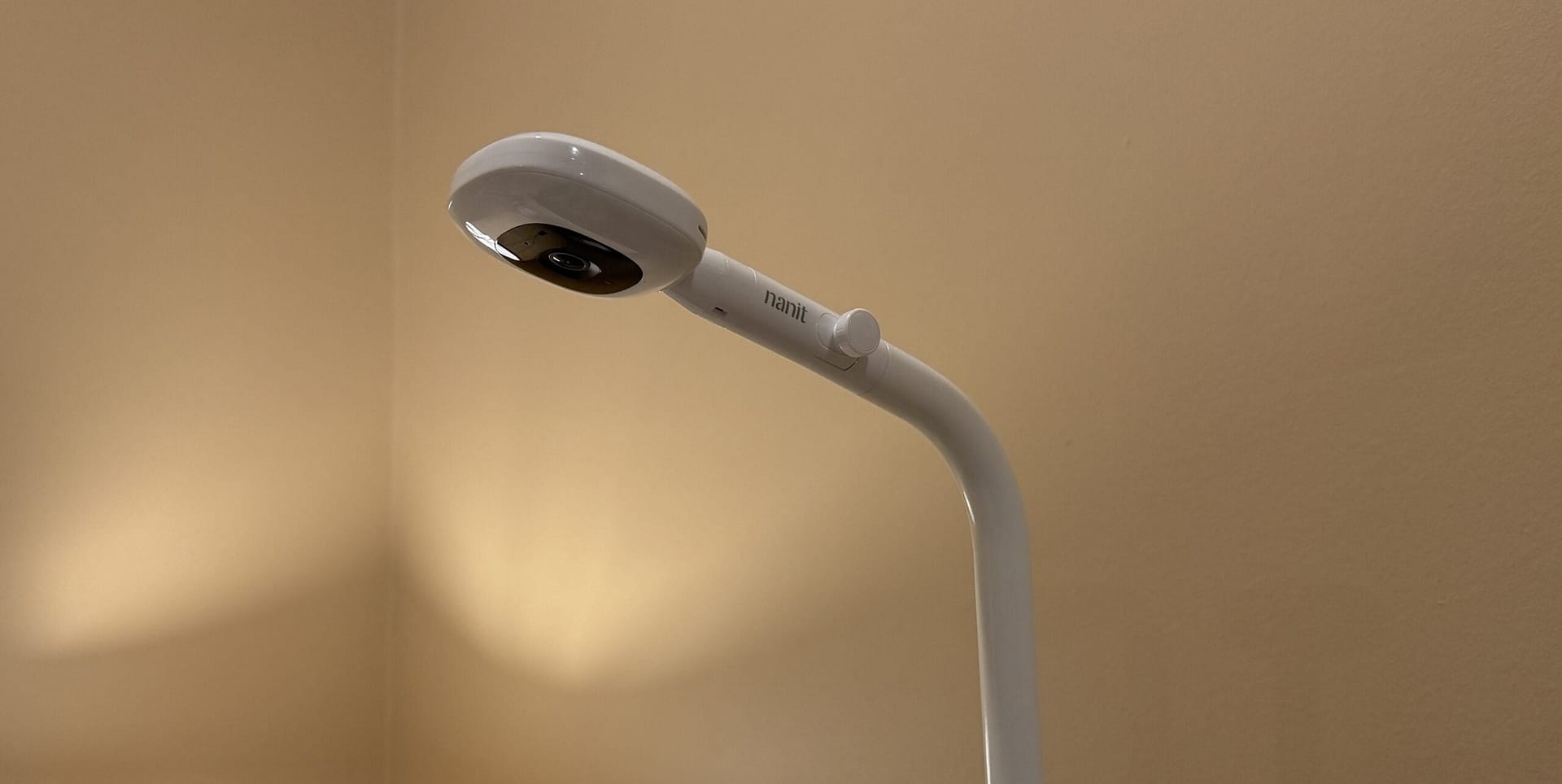
Our 2-Year-Old Knows Green Means Morning
The camera isn’t actually my favorite part of Ben’s sleep setup.
That might be his Nanit Sound + Light Machine.
At bedtime, we use a low amber light while waves play in the background. We’ve taught him that while the light is amber, it’s still time to stay in bed.
Every morning at 7, the light turns green and the sound stops.
That’s when he’s allowed to get up.
And apparently we’ve established the routine well enough that we’ll sometimes hear him through the Nanit excitedly announce:
“¡Está verde!”
It’s green!
He’s 2. He has no idea that he’s following an automated routine. He just knows green means morning.
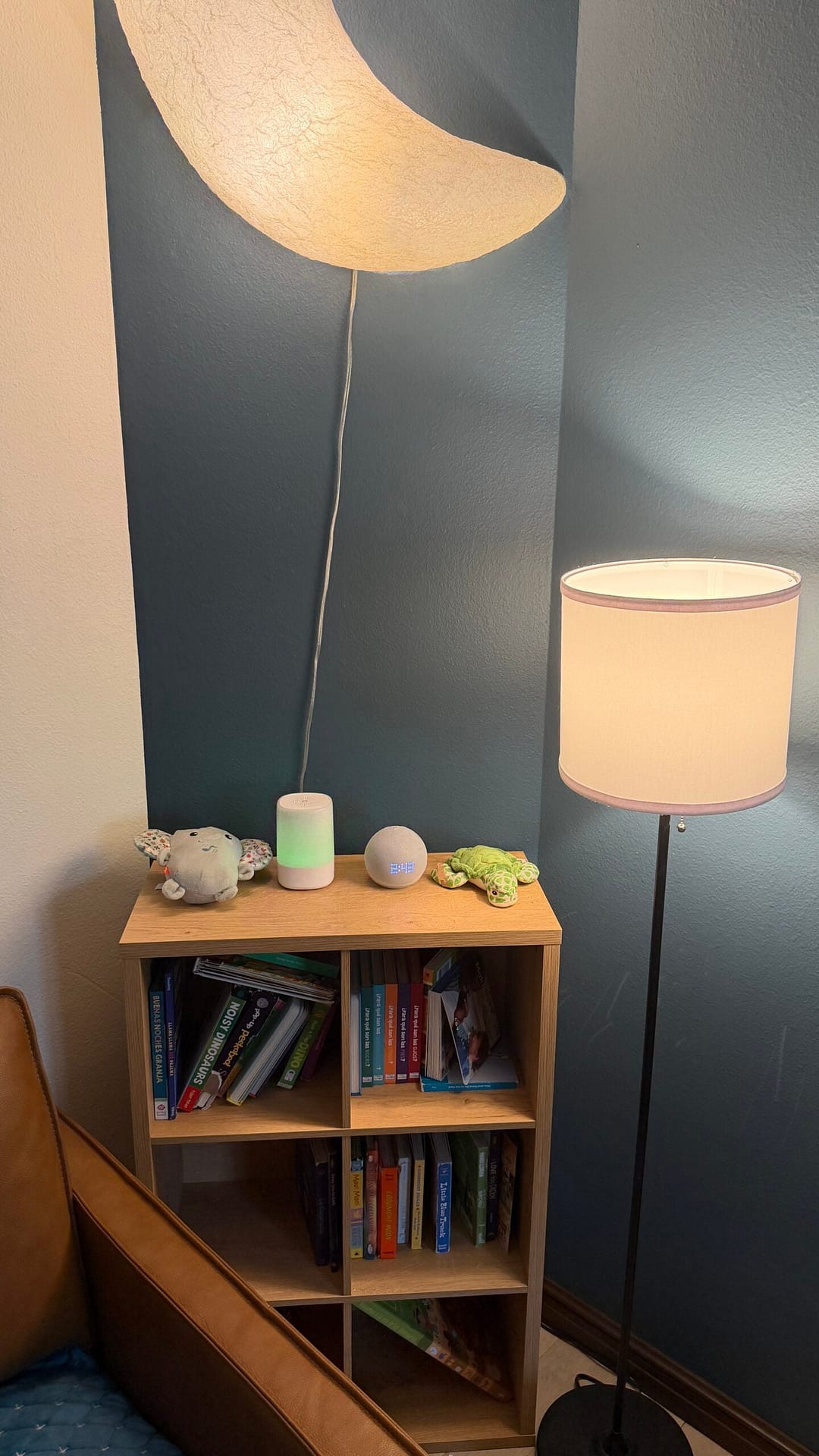
Ben’s room is probably the best example of how all of this technology eventually starts blending together.
His Nanit Sound + Light Machine handles the bedtime cues, while the lamp and the big moon light on his wall both use Philips Hue bulbs. There’s an Amazon Echo Dot nearby, and Nanit handles monitoring.
Individually, they’re just lights, a speaker, a sound machine and a camera.
Together, they’ve become Ben’s bedtime routine.
How We Use Alexa as Parents
We have Amazon Echo devices and Echo Dots throughout the house, and they’re probably among the devices we interact with most.
Some of the uses are incredibly mundane.
Timers are huge.
We use them while cooking, obviously, but we’ve discovered timers are surprisingly useful with a 2-year-old too. Instead of an abstract “we’re doing this in a few minutes,” we can set a timer that gives him a clear endpoint.
Alexa also handles a lot of our music.
What’s been fun is watching Ben figure this out himself. He’s reached the point where he’ll actually ask Alexa for songs he wants to hear.
Watching a 2-year-old realize he can essentially request music from the air is pretty funny.
But the Echo devices have another parenting function that we didn’t fully appreciate until we started connecting everything else.
They give us another way to interact with the rest of the house. We can check Nanit cameras, see our Ring doorbell camera, control Philips Hue lights and access other connected devices without hunting for a phone and opening another app.
When you’re holding a baby, that matters more than you’d think.
Our Fire TVs Became Giant Baby Monitors
One of the more unexpected pieces of smart home tech for parents in our house has been the television. We have both Amazon Fire TV Sticks and televisions with Fire TV built in.
Obviously, we use them for streaming.
But one of my favorite parenting uses has almost nothing to do with watching television.
They’ve become giant baby monitors.
We can bring up Ben’s Nanit camera on the television and see his room without getting off the couch. Even better, we can minimize the live camera into picture-in-picture and continue watching TV.
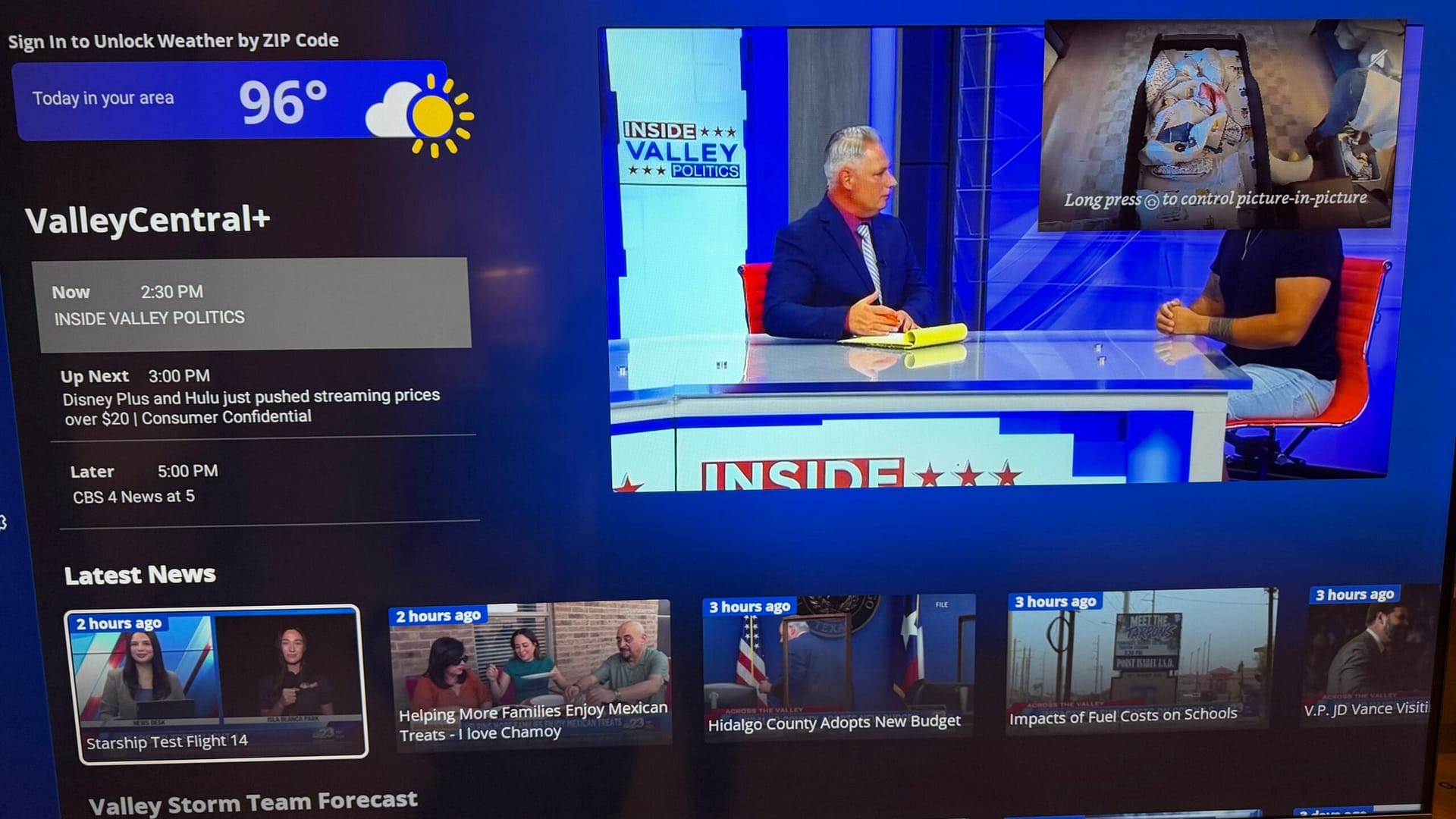
That means my wife and I can be sitting together watching something at night while a small live view of Ben stays on the screen.
It sounds like a minor convenience until you’re a parent who has finally gotten a toddler to sleep.
Rule No. 1: Do not unnecessarily enter the room of a sleeping toddler.
Now we can check on him without opening his door, pulling out our phones or interrupting what we’re doing.
Ring Handles Security — and a Simple Doorbell Cover Protects Naptime
We use Ring for much of our general video monitoring and home security, with cameras inside and outside the house along with our Ring Video Doorbell.
The obvious advantage is security, but having kids changed how we use the system.
Our Echo devices can show us the Ring doorbell camera when somebody arrives, for example, so we don’t necessarily need to stop what we’re doing to see who’s there.
But perhaps my favorite piece of doorbell technology isn’t actually technology at all.
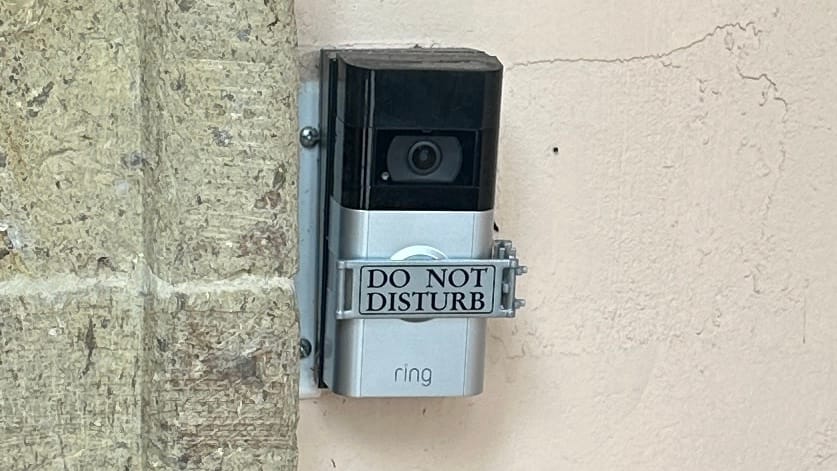
It’s a Nap Guardian cover that sits over the Ring doorbell button and simply reads “DO NOT DISTURB.”
The cover opens on a hinge when we want access to the button and closes over it when we don’t want somebody ringing the bell.
Because whoever invented doorbells clearly never spent 45 minutes getting a baby to sleep only to have somebody ring one.
We can spend hundreds of dollars automating a house, and sometimes the best solution is still a simple piece of plastic.
Smart Lighting Has Become Surprisingly Useful for Parents
We’re probably about 60% of the way through converting the lighting inside and outside our house to Philips Hue.
This is another smart-home upgrade that sounded like a luxury before we had kids but feels considerably more practical now.
Imagine walking through the house at night with a sleeping newborn in your arms.
You realize the kitchen lights are still on.
Before, I’d either leave them on or walk back while carrying the baby and start flipping switches.
Now?
“Alexa, turn off the kitchen lights.”
Done.
That’s the kind of smart home tech I’ve come to appreciate most as a parent. It isn’t doing anything revolutionary. It’s eliminating one tiny inconvenience at exactly the moment when both of my hands happen to be occupied.
We’ve also added Philips Hue motion sensors and scheduled some of them specifically around nighttime. If one of us walks toward the kitchen after everyone is in bed, for example, the sensor can automatically bring the lights on dim instead of hitting us with full brightness in the middle of the night.
That’s especially useful when I’m carrying the baby and heading to the kitchen to get a bottle. Instead of fumbling for a light switch in the dark with a baby in my arms, the lights come on dimly as I walk in.
We also use sunrise and sunset automations for outdoor lights and some of the other lighting around the house. Rather than constantly changing schedules as the seasons change, the lights can follow the actual daylight cycle.
There’s an energy-efficiency benefit to all of this, too. According to the U.S. Department of Energy, residential LED lighting uses at least 75% less energy than incandescent lighting. Our automations can take that a step further by helping make sure those lights are only on when we actually need them. Motion sensors can turn lights on when someone enters an area, while our sunrise and sunset schedules help keep outdoor lights from running unnecessarily during daylight hours.
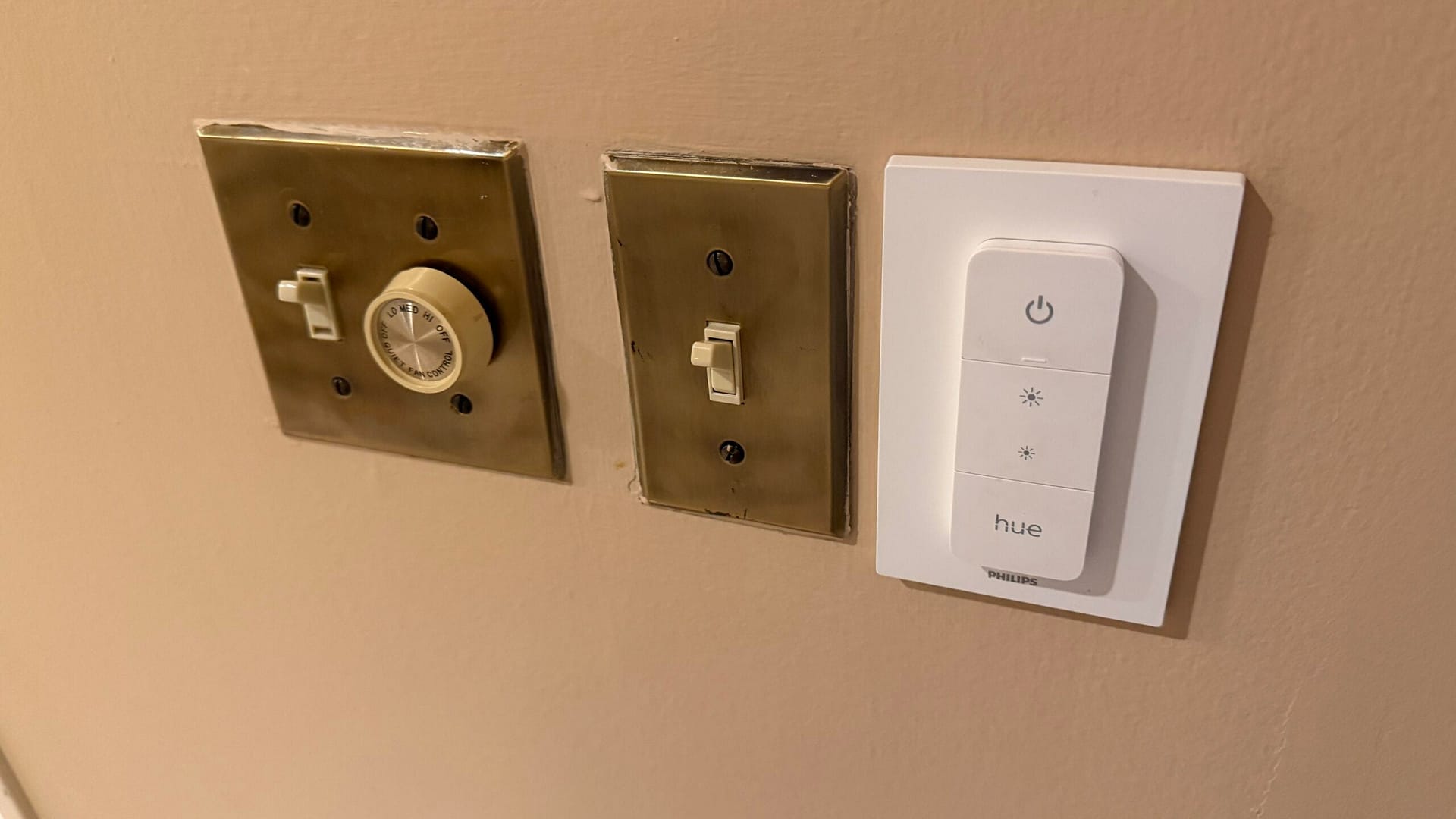
We still have physical controls throughout the house, too. Hue wall controls mean using smart bulbs doesn’t require everyone to talk to Alexa or pull out a phone just to turn on a light.
That’s important to me.
A smart home shouldn’t make a simple thing more complicated just for the sake of making it “smart.”
We Finally Stopped Twisting Around to Check the Kids in the Car
With two young kids riding in the back seat, we’ve discovered another parenting problem technology can solve: constantly trying to see what’s happening behind us.
We used the traditional car-seat mirrors, but they were never perfect. They’d move, the angle wouldn’t be quite right, and we’d inevitably end up turning around anyway.
So we recently installed WEMOH dual baby car camera systems in both of our cars.
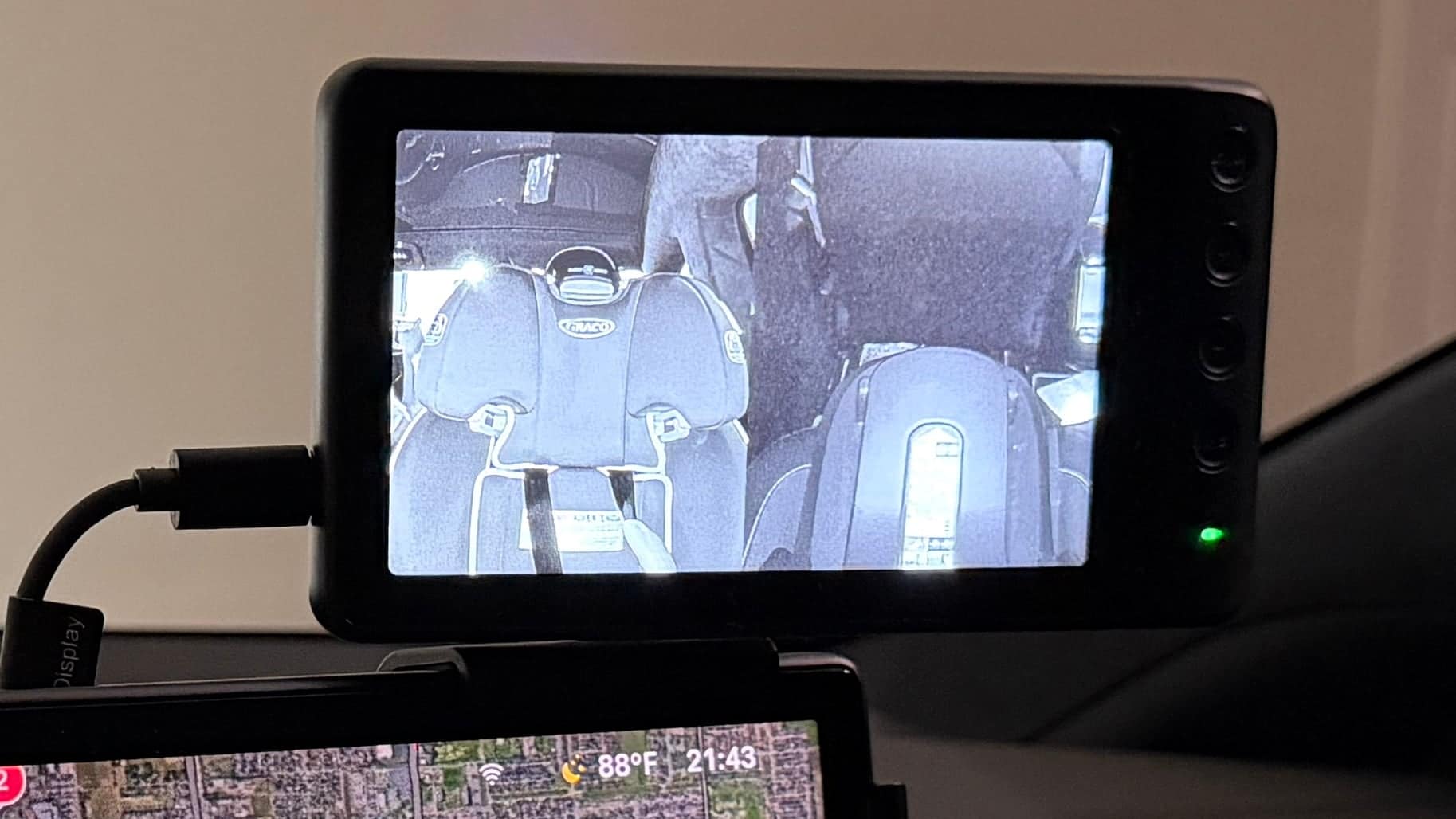
Each child has a camera pointed at his car seat, and a small screen up front gives us a live view of both seats at the same time.
The difference has been surprisingly significant.
Instead of trying to catch the right angle in a mirror—or twisting around to figure out why somebody is making a particular noise—we can glance at the monitor and immediately see both kids.
The photo above was taken at night, which is why the feeds are black and white. The WEMOH cameras automatically switch into night mode after dark and show full-color video during the day.
It’s one of those purchases that initially seemed like a convenience and quickly became something we wondered why we hadn’t bought sooner.
Our necks are thanking us.
The Least Exciting Screen Might Be the One Keeping Our Lives Together
Then there’s our Skylight Calendar.
This isn’t as flashy as pulling a baby monitor onto the television or telling Alexa to control the lights.
But it may eventually become one of the most important screens we own.
My wife and I both work. We have individual work commitments. We have personal appointments. We have appointments for two children. We have family obligations.
And somehow all of those things have to coexist.
We recently added a Skylight Calendar in the kitchen, giving us one central place where we can see what’s happening.
We can access everything from our phones, but there’s something particularly useful about having the family’s schedule physically visible in the kitchen instead of buried inside another app.
We’re also starting to experiment with another feature: using it as a task and reward system for Ben.
At 2, we’re obviously keeping things simple. But as he becomes more independent, we’re working on routines, daily tasks and behaviors he can understand and eventually track.
We haven’t fully implemented that part yet, so I’m interested to see whether it becomes something we genuinely use or one of those ideas that sounds better in theory.
That’s part of this experiment, too.
The Second Baby Changed What Smart Home Tech We Value
Something I’ve noticed since bringing home our second child is that our priorities have changed.
With one child, you can devote an enormous amount of attention to that one child.
Two changes the logistics.
Now somebody may be sleeping while somebody else is awake. One parent might be working while the other has the kids. We might need to see two bedrooms simultaneously. Someone is almost always carrying somebody.
That’s why seemingly small features have suddenly become important.
Split-screen baby monitors matter.
Battery-powered displays matter.
Voice-controlled lights matter.
Being able to see both kids in the car matters.
Having everyone’s schedule on one screen matters.
Picture-in-picture on the television matters.
Individually, none of these things revolutionizes parenting.
Together, they remove friction.
And removing friction might be the best description of what we’re actually trying to accomplish with all this technology.
The smart home tech for parents that has been most useful to us isn’t necessarily the most complicated. It’s the technology that removes one little inconvenience from an already busy day.
No, You Don’t Need Any of This
I think this is important to say.
You absolutely do not need smart home tech for parents—or a house full of smart devices—to raise children.
Our parents somehow managed to keep us alive without Wi-Fi-enabled lightbulbs.
And I’m also wary of technology creating more work—another subscription, another notification, another app or another device demanding attention.
For us, the test has become pretty simple:
Does this technology solve an actual problem in our house?
If it does, great.
If it simply gives us another screen to look at, I’m considerably less interested.
That’s also why some surprisingly simple things have become favorites.
A little doorbell cover solves a very real problem.
So does a timer.
So does a light that changes from amber to green.
Technology doesn’t have to be complicated to be useful.
The Best Smart Home Tech for Parents Eventually Disappears
Looking around our house, I’ll admit that we have a ridiculous amount of technology.
But the best compliment I can give most of it is that we’ve stopped thinking about it.
Ben doesn’t know he’s interacting with a smart-home ecosystem when the light beside his bed turns green.
He just knows it’s 7 a.m.
“¡Está verde!”
When I’m holding the baby and ask Alexa to turn off the lights, I’m not thinking about home automation.
I just don’t have to put him down.
When my wife and I are watching television and glance at a little picture-in-picture window to make sure Ben is asleep, we’re not thinking about cameras, Wi-Fi and smart-home integrations.
We’re sitting together on the couch.
And when I look at a monitor at 2 a.m. because my new-dad brain once again wants reassurance that the baby is breathing, I’m not particularly interested in the technology behind it.
I just want to know he’s okay.
That’s ultimately what I want technology to do in our house.
Not give us more screens to stare at.
Give us fewer things to worry about.
Disclosure: This post is not sponsored. We purchased the products discussed here ourselves, and I am not being paid or compensated by Nanit, Amazon, Ring, Philips Hue, eero, Skylight, WEMOH, Nap Guardian or any of the other companies or brands mentioned in this article. These are simply products and systems our family actually uses and our experience with them.

I love how Ben is speaking Spanish ♥️ you guys are awesome parents 🥰